 NewDesk team4 min read
A colour picker is not customization
Every chat widget lets you set a brand colour. Almost none let you change what the widget actually does when someone opens it. That is the part customers notice, and that is what the Design Studio is for.
Forms, asked like a conversation
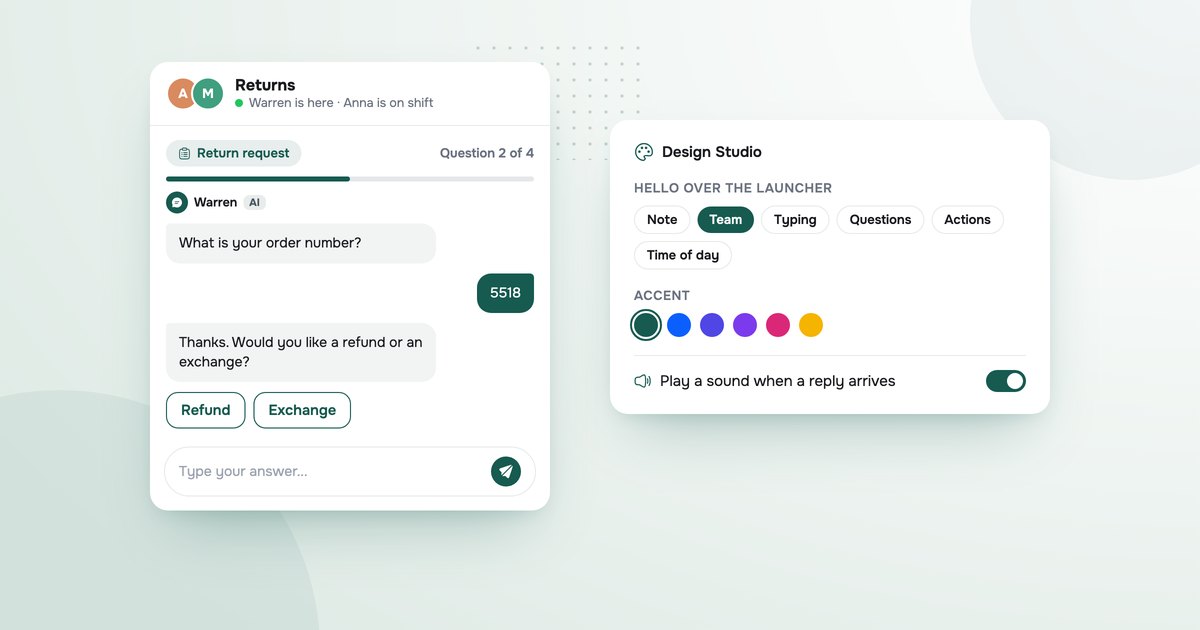
A form here is not a box with twelve fields. The AI asks one question at a time, in the chat, and moves on when the answer makes sense. Build one from a template or from scratch on the Forms page, decide whether a finished form opens a ticket, read the submissions on the desk. The customer never leaves the conversation to fill anything in.
How it opens
Pick how the widget says hello over the launcher, from a set of greetings, the emoji it waves with, and whether the hello types itself in as the panel opens. Show the questions people ask most, taken from what they actually asked, so the common ones are one tap away. Turn on a sound for when a reply lands.
The rest of the chat
Post an update and it shows inside the widget, so an outage or a new feature gets read where the questions get asked. Customers can send a voice message and, in most browsers, your team reads the words as well as hearing it. The widget speaks six languages, and the AI answers in the widget's language or the one the customer writes in. On Self-Owned the AI carries your name and your avatar, and the NewDesk line is gone.
Why it all lives in the chat
Because that is where your customer is. A form on another page, a status banner in another tab and a branding toggle buried in settings are three chances to lose them. Putting all of it inside the conversation is the whole idea.